
PUBG HWID Spoofer for Windows with Cleaner
Get a Windows hardware-identifier utility with a cleaner and an order-specific setup guide for a PC you administer.

Editorial product notes
PUBG HWID Spoofer for Windows at a glance
The standalone HWID Spoofer includes a cleaner and is intended for a Windows PC you administer. System changes can also affect other software on that PC.
Overview
Hardware identifiers and the included cleaner
The Windows hardware-identifier utility includes a cleaner. The order guide explains setup for the product you receive.
You need 64-bit Windows 10 or 11, administrator access and a stable connection. UGC is a separate product for account appeal records.
What the hardware tool includes
The standalone utility includes hardware-identifier tools and a cleaner. Check the partner listing for the identifiers covered and the guide supplied with the order.
Requirements and limitations
Use a 64-bit Windows 10 or 11 PC you administer, with a stable internet connection. System-level changes can affect other software. An account-level restriction is a separate issue.
Feature list
What PUBG HWID Spoofer for Windows includes
- Hardware Spoofer (Cleaner Included)
- Separate product from Elite
- Not an account-appeal tool
- Order checklist delivered with the order
- Windows 10 / 11 (64-bit)
- Administrator rights for spoof and cleanup steps
- Stable internet for activation and updates
- Follow the guide before launching protected games
- Support via the order email
- Separate purchase and delivery
Product details
Product Preview & Delivery
See the features in the gallery and what you’ll need to use PUBG HWID Spoofer for Windows after delivery.
Product preview
-
Hardware Spoofer
Hardware-identifier utility with a cleaner for a Windows PC you administer.
-
Setup checklist
Review Windows administrator access, the network requirement and the order guide.
Guides
Guides for PUBG HWID Spoofer for Windows
Read about the features, system requirements and questions worth asking when a PUBG update lands.

Review the HWID utility’s Windows requirements, included cleaner and system-change risks before opening the PUBG partner listing.

Understand what the PUBG UGC workspace can organize, which appeal records to prepare and who decides whether a restriction is lifted.

Check the current Steam build, seller compatibility, delivery timing and what support needs before you buy or reuse a PUBG PC tool after an update.

Check access length, renewal, device rules, delivery and refund terms before buying a PUBG PC product from the linked partner store.
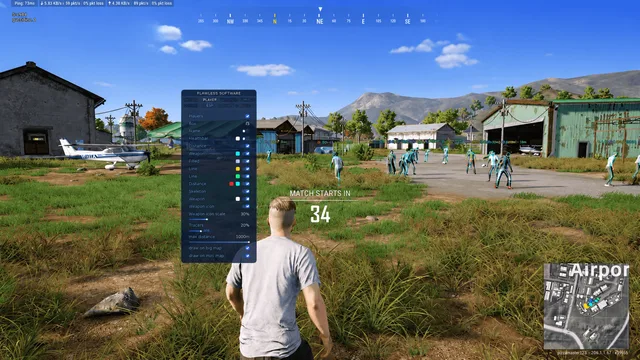
Compare the player ESP, loot filters, vehicle readouts and recoil profiles listed for PUBG Elite. See which PC tools require a separate purchase.

Check the player boxes, distance, visibility and health indicators on the PUBG Elite list, plus the filters that control what appears.
FAQ
Common questions
Answers to the questions that come up most often about these features and requirements.