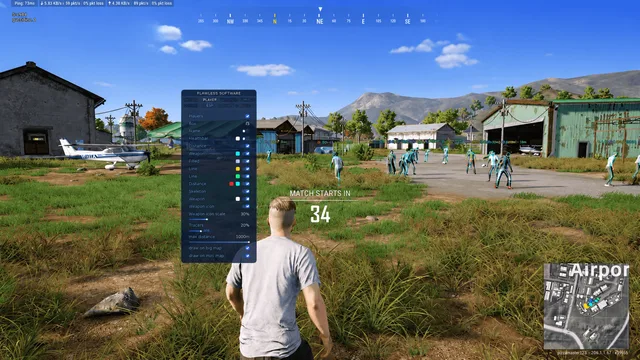
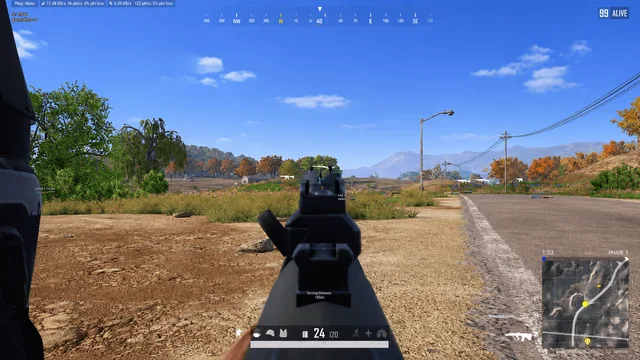
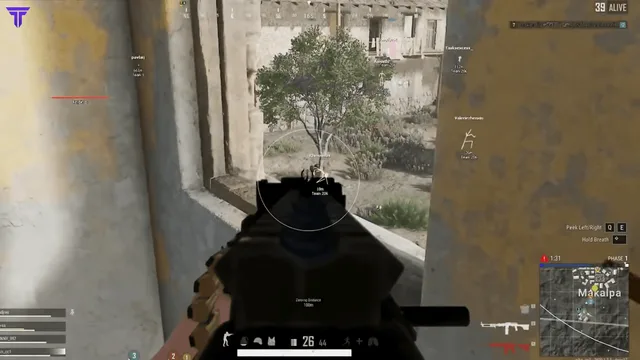
Player ESP
Player health and distance at a glance
Show player boxes with health and distance, and set how far out Elite draws markers.
- Health bars or text
- 2D, corner or filled boxes
- Enemy-only filter
Shop PUBG Elite for player ESP, filtered loot, vehicle health and fuel, and recoil profiles by weapon class. Go straight to Elite checkout, or compare Skin Changer, HWID Spoofer and UGC.
Windows
Operating system
PUBG PC
Game edition
Steam
Game launcher
Partner store
Payment
PUBG Elite
Choose what Elite shows on your screen, from player health and distance to loot categories and vehicle fuel.
Player health and distance at a glance
Show player boxes with health and distance, and set how far out Elite draws markers.
Show the loot you care about
Highlight weapons, armor and meds by category so nearby pickups are easier to scan.
Vehicle health and fuel
See where a vehicle is and how much health and fuel it has before planning your next rotation.
Settings by weapon class
Elite lists separate recoil profiles for ARs, DMRs and SMGs, so weapon settings are grouped by class.
Three tools sold separately
Pick a local cosmetics preview, a Windows hardware-identifier tool or an appeal workspace.
Airdrop and death crate contents
Highlight airdrops and death crates, with separate settings for their markers and the items inside.
Reduce overlay clutter
Combat Mode and its filter let you narrow what the overlay displays when a fight starts.
Choose what appears beside each box
Add skeletons, equipped weapons or knocked status to the player information you display.
Save a layout for each stage of a match
Keep armor and weapon markers in a hot-drop preset, and save a cleaner player-and-vehicle view for late circles.
Products
Choose Elite for in-match overlays and recoil profiles, or shop separately for local skin previews, Windows hardware tools and appeal records.
What to expect
Elite groups ESP, loot filters and recoil profiles in one Windows product. The three standalone tools each have their own features and order.
PC
Game edition
The gameplay tools are for PUBG: BATTLEGROUNDS on Steam.
Windows
PC compatibility
The Windows tools list support for 64-bit Windows 10 or 11.
Order reference
Keep the address you used at the partner store for delivery and support.
Elite display settings
Set an ESP range, filter loot and save a layout with Elite. You’ll need 64-bit Windows 10 or 11, a working Steam copy of PUBG and administrator access.
Orders and access
Pick Elite or a standalone utility. The partner store takes payment and sends the delivery instructions to your checkout email.
Partner store
Choose Elite for gameplay features or a standalone tool for skins, hardware identifiers or appeal records.
The partner store shows what you’ll pay, how long access lasts and which devices the offer covers.
Use an inbox you can access. Keep the order receipt and the instructions the store sends.
For a missing email or access error, give support the checkout address, product name and error message.
Blog
See what Elite’s markers show, compare the standalone tools and catch up on compatibility after a Steam update.
Compare the player ESP, loot filters, vehicle readouts and recoil profiles listed for PUBG Elite. See which PC tools require a separate purchase.
Check the player boxes, distance, visibility and health indicators on the PUBG Elite list, plus the filters that control what appears.
Use this PUBG Elite buyer’s guide to match its gameplay features to your Windows setup, confirm device rules and judge the current access offer.
Purchase FAQ
Find out what Elite includes, which Windows versions it supports and how delivery and device transfers work.